Discovery that runs itself,
on the cadence you set.
Stop remembering to hit "run." Put each project on a schedule — daily, weekly, monthly, or every few hours — and let the agent refresh your insights on time, in the right timezone. Multiple schedules per project, next-run and last-run at a glance, and a run-now button for when you can't wait.
Pick a cadence, not a cron manual
Four presets cover almost everything. Each is timezone-aware, so the run lands at the local hour you chose — every time.
Every morning before the team logs on — pick the hour, the timezone does the rest.
One or more days a week. Monday-morning readouts without anyone kicking off a run.
A fixed day each month for the board-deck numbers, refreshed on schedule.
High-cadence monitoring — every 6, 8, or 12 hours for fast-moving data.
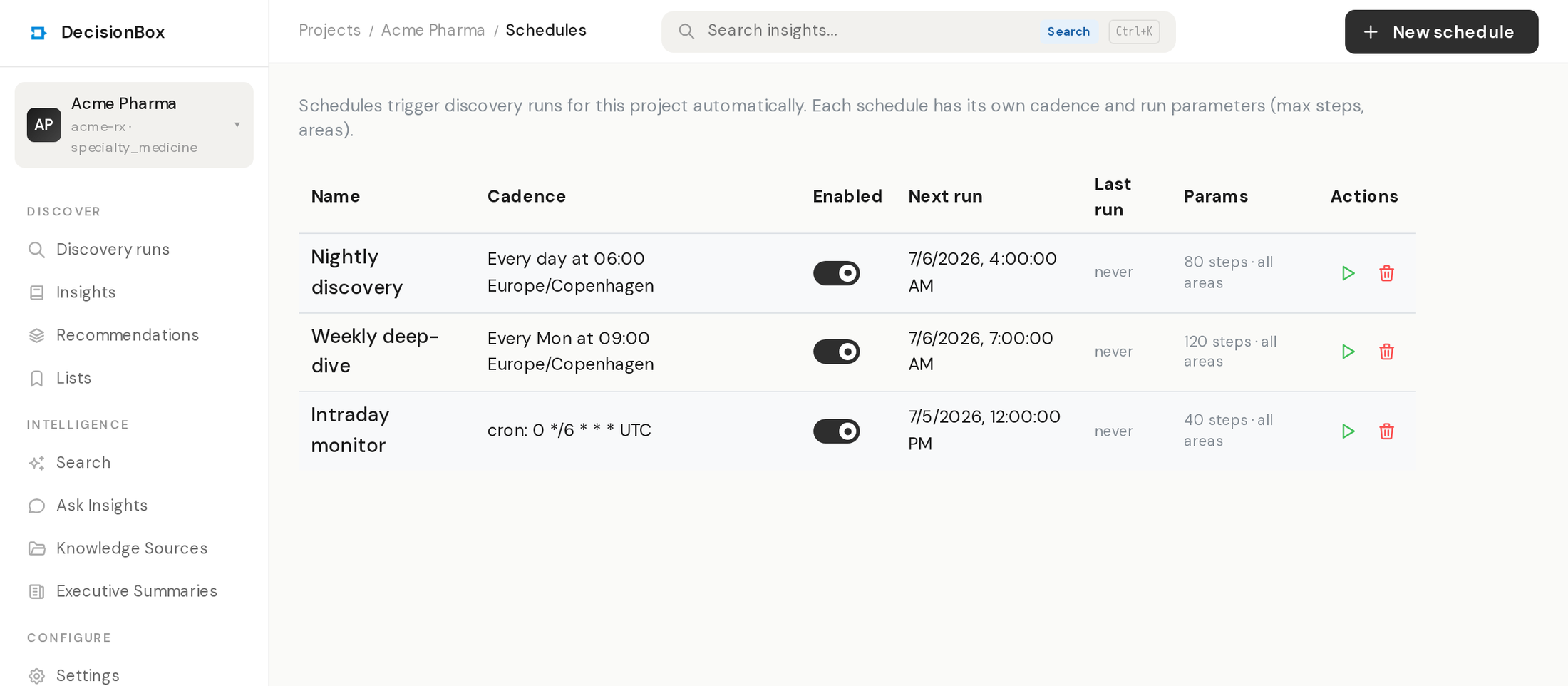
Every schedule shows its next and last run
One schedule on one project: cadence and timezone up top, last-run outcome and next-run time below, run-now when you need a fresh pass immediately.
Flexible enough for how your team really works
Multiple schedules per project
A daily light pass and a heavier weekly deep-dive can run on the same project. Each schedule is independent — its own cadence, timezone, and enable/disable switch.
Timezone-aware, DST-safe
Schedules run in the timezone you pick, not the server's. "9am Copenhagen" stays 9am across daylight-saving changes — no drift, no 1am surprises.
Cron when you need it
The presets cover most cases; a cron expression covers the rest. Drop to raw cron for "first business day" or "every weekday at 07:30" without leaving the UI.
Scheduled runs are ordinary runs.
A schedule just decides when a run starts — everything after that is the same autonomous discovery you'd trigger by hand, with the same governance, the same warehouse access, and the same notifications when it finishes. Disable a schedule and the project stays put; re-enable it and the next run picks up on the following slot.