The same engine —
tuned to your vertical.
Playbooks (also called domain packs) are the layer that tells the agent what matters in your industry. Swap them in and out without touching the engine — and create your own right from the dashboard.
Three layers, one stack
Findings your team can ship
Severity-ranked insights and prioritized recommendations that speak your industry's language — without any prompt engineering on your side.
The swappable layer
Tells the agent which areas to investigate, which metrics to track, and which segments to compare — all expressed in the language of your industry, not code.
Discovery, validation, and reasoning
Shared across every pack. Exploration, self-healing, and verification — the part of the platform you never have to think about.
What a pack actually describes
Analysis areas
The questions worth asking in your industry. What the agent should investigate — retention, monetization, activation, engagement, or whatever shape your domain takes.
Key metrics
What 'good' looks like in your world. Conversion rates, time-to-value, repeat usage, LTV — whatever signals you measure success against.
Audience segments
Who the agent should slice the data by. New vs returning, paying vs free, high-intent vs drive-by — every industry has its own cuts.
Success criteria
How to judge whether a finding matters. Severity thresholds, baseline comparisons, and the signals that separate a headline from a footnote.
No prompts to write, no files to edit. Everything lives in the dashboard, in plain language.
Build a pack right from the dashboard
Describe your industry in a few sentences, pick the analysis areas you care about, set the metrics and segments the agent should track, and save. The next discovery run uses it automatically — no code, no deployment, no waiting.
See the creation flow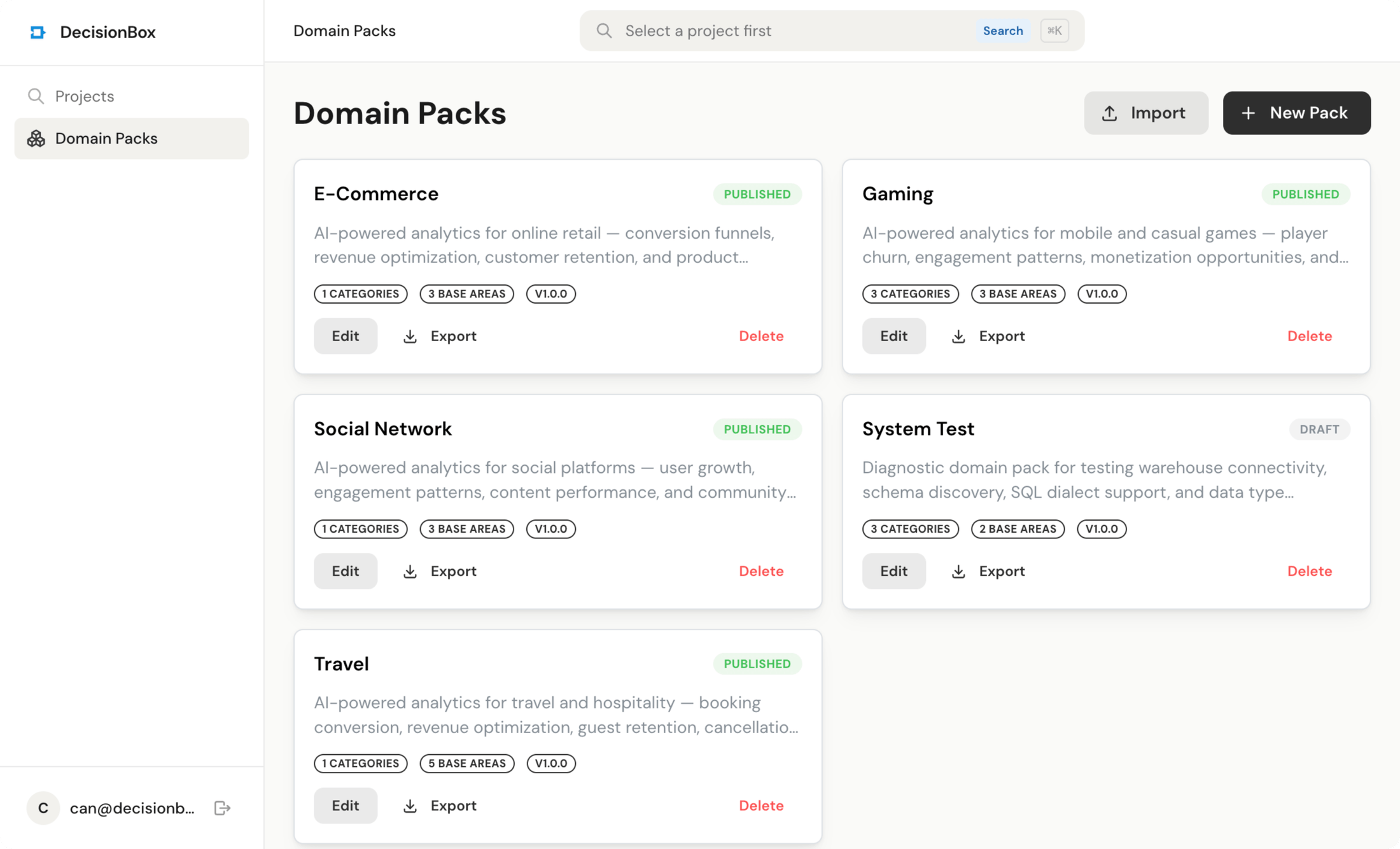
Try it in two minutes
Clone the repo, run docker compose up, and point it at your warehouse.